Generate diagrams using ChatGPT

Hey there! In this short post, we'll explore how to generate diagrams using ChatGPT. Let's get started.
PlantUML
PlantUML is an open-source tool that allows you to generate diagrams using a simple text-based language.
It supports a wide range of diagrams, including:
- Sequence diagram
- Usecase diagram
- Class diagram
- Object diagram
- Activity diagram (here is the legacy syntax)
- Component diagram
- Deployment diagram
- State diagram
- Timing diagram
Read more about PlantUML here plantuml.com
How to generate diagrams using ChatGPT
To generate diagrams using ChatGPT, use the following prompts
Using PlantUML, generate a UML use case diagram for [YOUR_APP_IDEA_HERE]Using PlantUML, generate a UML class diagram for [YOUR_APP_IDEA_HERE]Using PlantUML, generate a UML Sequence diagram for [YOUR_APP_IDEA_HERE]Example:
Using PlantUML, generate a UML use case diagram for a hotel reservation system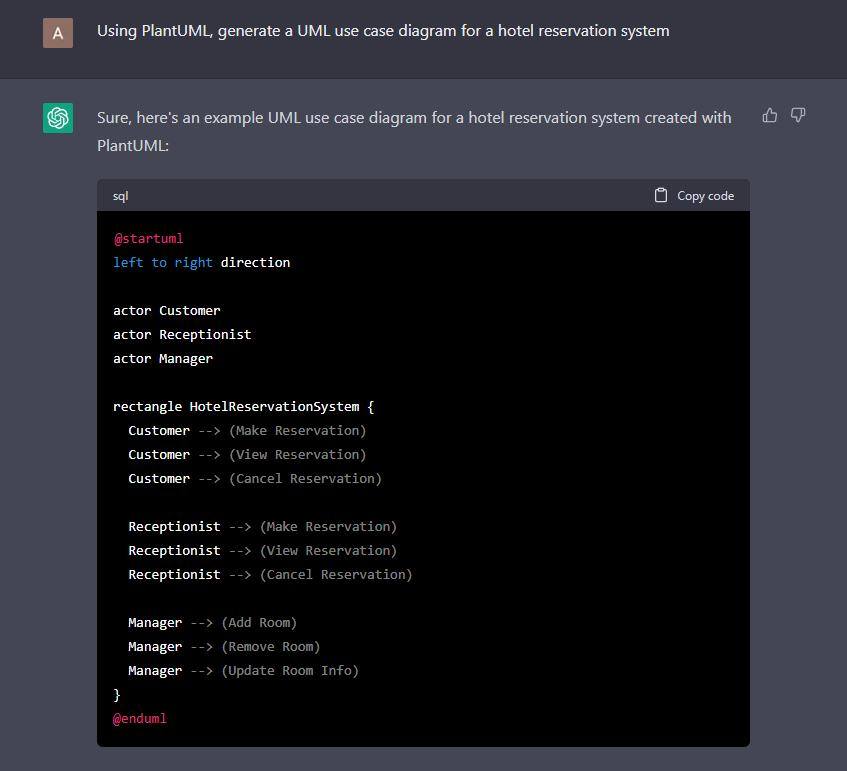
After generating the diagram, you can copy the text and paste it in the PlantUML editor to generate the diagram.
http://www.plantuml.com/plantuml/uml/
Conclusion
In this post, we explored how to generate diagrams using ChatGPT. I hope you found it useful. If you have any questions, please leave a comment below.
Comments
Keep reading

Why You Should Disable Source Maps in Production
Sourcemap is a powerful tool for developers when debugging their JavaScript code. They provide a way to map the minified, production code back to the original, unminified source…

SSH VSCode as Root: Say Goodbye to Permission Headaches
When working on a remote server with VSCode, you may run into an issue where you need to modify or create files that require root privileges.

Modifying Nginx's Try_Files for Angular Redirection
When deploying an Angular app to a server, you may run into an issue where the routing doesn't work properly.